Move and resize
Use picture selection handles to adjust dimensions and drag pictures to a new position.
Bring words and photographs together. Move pictures around the page and see how the surrounding text responds.
Register your interestIllustrated documents are more than text with photographs added at the end. The position, size and relationship of each picture to the surrounding words can transform the finished page. WrightType is being developed to make that composition interactive.
Use picture selection handles to adjust dimensions and drag pictures to a new position.
Choose how text flows beside an image or above and below it, according to the available space and intended design.
Choose a page-relative position for a layout element or keep an illustration associated with the text as the document changes.
Explore picture rotation, aspect ratio controls and stacking order for creative arrangements. Check the resulting wrapping and print output.
Simplified web illustrations of wrapping arrangements, not live editor controls or screenshots.
WrightType's development has included live text reflow during picture movement and work on layouts containing multiple pictures. Complex combinations of wrapping, rotation and page boundaries require careful testing; inspect the final layout after moving images or editing nearby text.
Our Creative Desktop explores using the surrounding workspace as part of document composition. It is an approach inspired by the freedom of arranging material on a physical desk.
Try an illustrated travel diary, family magazine, family history book or newsletter. For practical advice on positioning photographs, see our text wrapping guide. Explore precise page layout for the wider composition workflow.
Keep original photographs, check image permissions and use suitable resolution for print. Reopen saved documents and inspect imported or exported DOCX layouts, since picture anchoring and wrapping can differ between applications.
WrightType is in active development. Purchases are not yet available; features and platform availability are subject to final release testing.
Explore the editor and its approach to direct page composition.
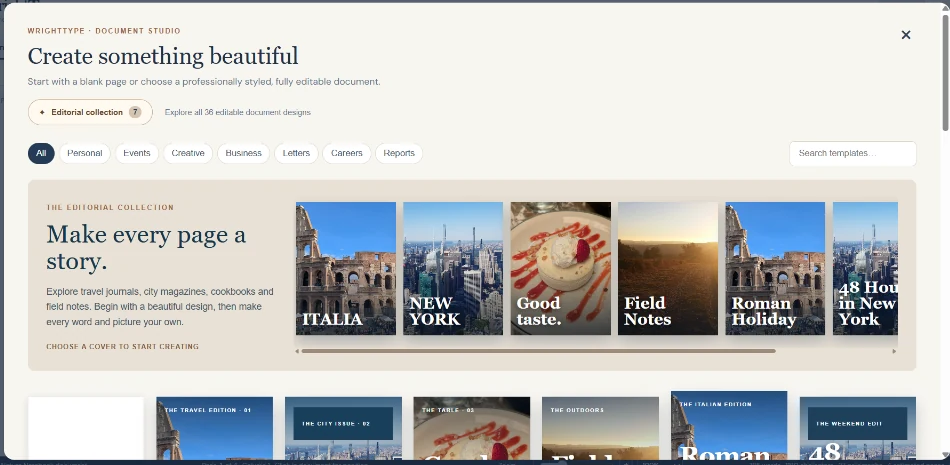
Actual WrightType development screenshot.
Follow our progressExplore the full WrightType feature showcase, see the editor in action on our demonstration page, or compare the planned editions and pricing.
Follow development and receive launch news. Registration is not a purchase.