1. The cover
A memorable title, issue date, one strong photograph and two or three short teasers for the stories inside.
Turn everyday adventures, photographs and family stories into a keepsake to share across generations.
Follow WrightType's developmentGive your magazine a name and choose a monthly, seasonal or annual issue. Invite relatives to contribute a short story, a favourite recipe, a drawing, an interview or a photograph. Ask children to write their own news reports. Include ordinary moments as well as big celebrations: they often become the most treasured memories.
A memorable title, issue date, one strong photograph and two or three short teasers for the stories inside.
Short updates from different households, with clear headings, portraits and captions.
A holiday adventure, interview with a grandparent or a favourite family tradition, illustrated with photographs.
A recipe, children's artwork, puzzle, birthdays or a preview of the next issue.
Choose one expressive heading font and one readable body font. Use generous margins, consistent captions and a restrained colour palette drawn from your cover photograph. Start with body text around 11–12 points and adjust after printing a sample. Avoid stretching pictures; crop or resize proportionally instead.
A paginated word processor with picture positioning and text wrapping is a useful starting point for a text-led magazine. For complex independent frames or commercial printing, dedicated desktop publishing software may be more suitable. See our guide to word processing versus desktop publishing.
WrightType is being developed to make writing and picture placement feel like working on a real creative desk. Explore the Creative Desktop and see our editor demonstration for an example of interactive page composition.
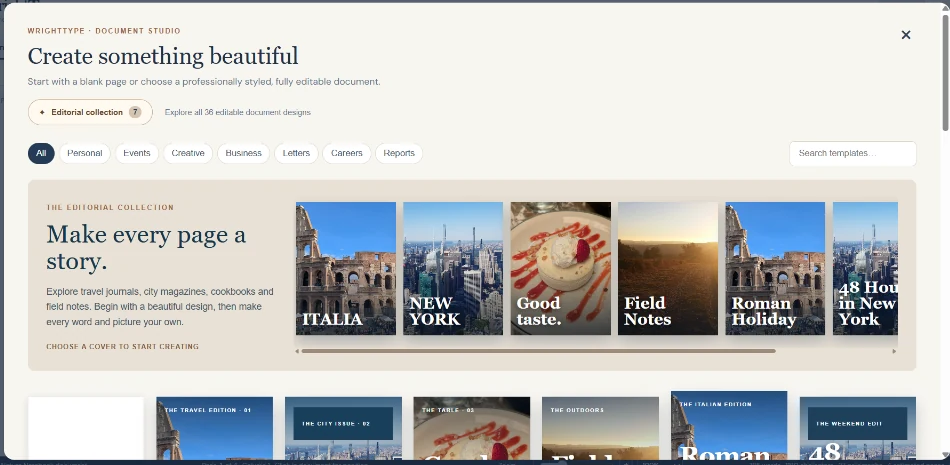
WrightType development screenshot showing the editor, not a finished family magazine template.
Watch the editor demonstration
For a folded A5 booklet, prepare four A5 pages and use your printer's booklet option if supported; otherwise print individual pages. Check page order and margins on a test copy. Keep an editable master and a PDF copy for sharing. Ask permission before distributing personal stories or photographs, especially those of children, and avoid publishing private addresses or other sensitive details.
Save a clean master with your masthead, recurring headings, margins and fonts. Duplicate it for the next issue and replace the content. Keep original photographs separately so future editions can reuse them.
Write a family history book · Create an illustrated travel diary · Create a newsletter · Wrap text around pictures · Choose fonts · Template inspiration
WrightType is in active development. Purchases are not yet available; features and platform availability are subject to final release testing. This guide is not a downloadable magazine template.
Discover how WrightType approaches picture wrapping and Creative Desktop. See the full feature showcase or watch the editor demonstration for a closer look at the developing software.