Reading comprehension
Pair a short passage with numbered questions and enough space for complete answers.
Design clear, attractive learning resources for the classroom, tutoring or home education.
Follow WrightType's developmentDecide what pupils should practise and how they will demonstrate understanding. Keep instructions short, include a worked example where useful and arrange questions from straightforward practice to more challenging tasks.
Pair a short passage with numbered questions and enough space for complete answers.
Use consistent alignment for calculations and leave room for working. Check that mathematical symbols print correctly.
Combine word lists, definitions, example sentences and short writing exercises.
Use captioned photographs or diagrams, observation prompts and clearly labelled answer areas.
Choose a readable font and size appropriate to the age group. Use generous spacing, strong contrast and predictable headings. Avoid unnecessary decoration or relying on colour alone. Leave enough space for handwriting, and offer alternative formats or larger print where needed.
Set up A4 margins, a subject heading, name and date fields, numbered questions and a consistent answer area. Save a clean master and duplicate it for each lesson. Keep answer sheets separate and check question numbering after editing. Use tab stops for aligned labels instead of repeated spaces.
A word processor suits text-led worksheets, illustrated reading passages and printable exercises. Specialist maths, diagram or interactive learning tools may be preferable for complex notation or online assessment. WrightType is being developed for paginated editing, typography, picture positioning and local document workflows, with a free edition and planned one-off paid licences.
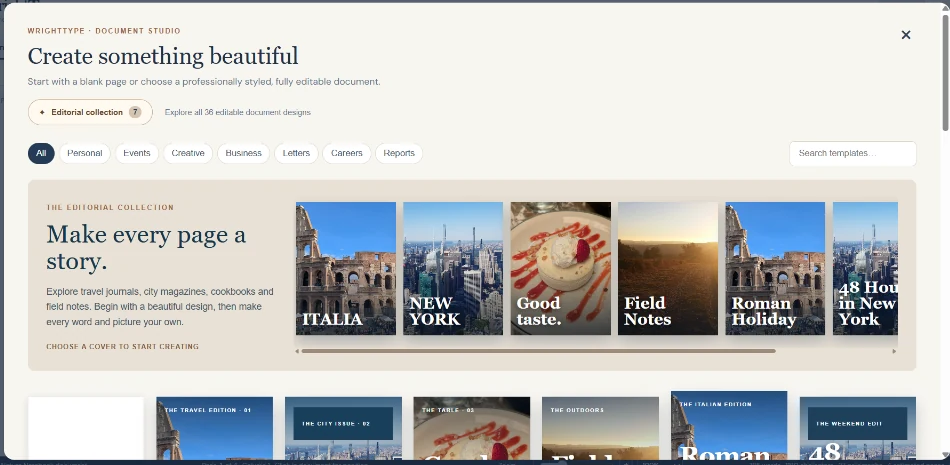
Actual editor development screenshot, not a finished worksheet template.
Watch the editor demonstration · Explore the Creative Desktop
Print a sample at actual size, including in greyscale if appropriate. Check answer spaces, page breaks, symbols and image clarity. Use original or appropriately licensed illustrations and avoid including unnecessary personal pupil information. Retain an editable master and a PDF for distribution.
Use tab stops · Choose fonts · Document design · Template inspiration
WrightType is in active development. Purchases are not yet available; features and platform availability are subject to final release testing. This guide is not a downloadable worksheet template or interactive assessment tool.
Discover how WrightType approaches page layout and text formatting. See the full feature showcase or watch the editor demonstration for a closer look at the developing software.