Weekly notice sheet
Church name, date, service times, upcoming meetings, notices and a public contact address. A single A4 sheet or two A5 pages may be enough.
Bring church news, service times, articles and upcoming events together in a clear, welcoming publication.
Follow WrightType's developmentA weekly notice sheet needs to be quick to update and easy to scan. A monthly church magazine has more room for articles, photographs and reports. An order of service needs a clear sequence that readers can follow. Start with the needs of your congregation rather than a complicated design.
Church name, date, service times, upcoming meetings, notices and a public contact address. A single A4 sheet or two A5 pages may be enough.
A cover, editorial, devotional article, news from church activities and a calendar. Use recurring headings to help readers find familiar sections.
Arrange readings, hymns and other elements in sequence. Use clear headings and include page or hymn numbers where appropriate.
Lead with the event name, date, time and venue. Include accessible travel information and a clear invitation.
Choose a readable font, generous line spacing and strong contrast. Consider a 12–14 point body size for printed notices, with a larger-print version where needed. Use consistent headings and avoid placing important text over busy photographs. Align service times and event dates using tab stops rather than repeated spaces.
Save a clean document containing the church name, logo, regular service headings and public contact details. Duplicate it each week, update the date and replace temporary notices. Check that previous announcements have been removed and that longer items have not pushed essential information onto an unexpected page.
If your church uses Publisher for notices or magazines, retain original PUB files and export important publications to PDF for reference. Rebuild a simple master in a new editor and compare the printed result. A word processor can suit flowing articles and straightforward notices; complex frame-based layouts may still benefit from dedicated desktop publishing software. WrightType does not promise native PUB import. Read our Microsoft Publisher alternative guide.
WrightType is being developed around direct page editing, typography and interactive picture positioning. Its Creative Desktop explores a more hands-on way of arranging words and photographs.
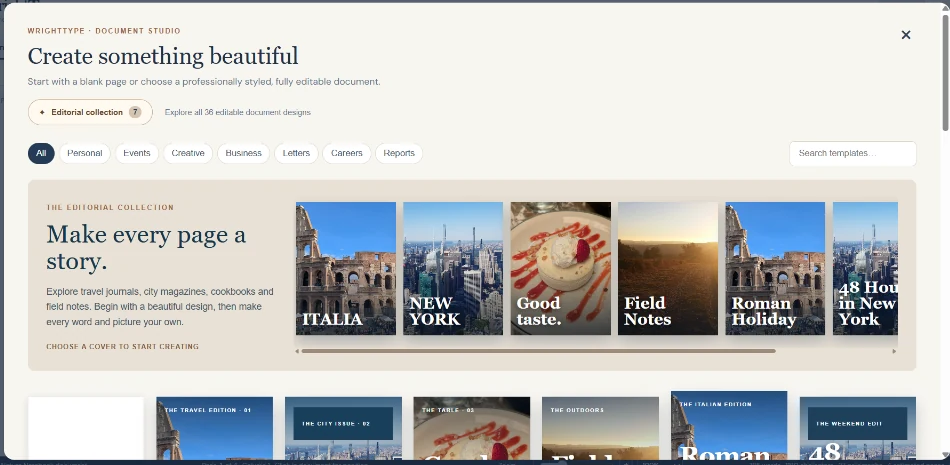
Actual WrightType development screenshot, not a finished church newsletter template.
Watch the editor demonstration · Explore the Creative Desktop
Proofread dates, service times and names. Obtain permission before publishing personal news, prayer requests or photographs, especially of children. Check copyright and licence requirements for hymns, Bible translations and contributed articles. Print a sample in greyscale if that is how the notices will be distributed, and retain an editable master and a PDF copy.
Create a newsletter · Use tab stops · Choose fonts · Template inspiration
WrightType is in active development. Purchases are not yet available; features and platform availability are subject to final release testing. This guide is not a downloadable church newsletter template.
Discover how WrightType approaches precise page layout and typography. See the full feature showcase or watch the editor demonstration for a closer look at the developing software.